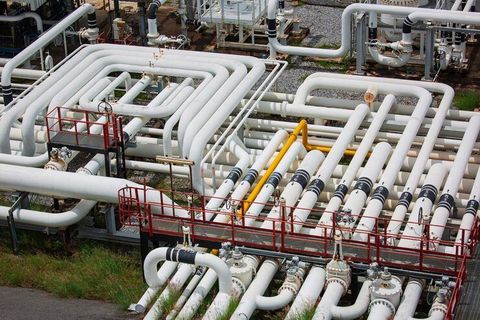
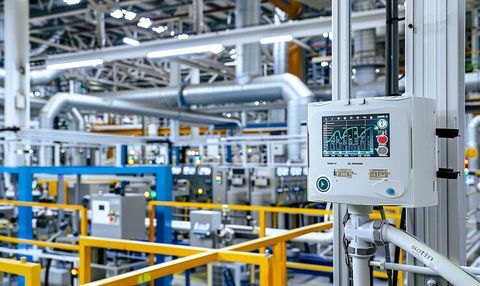
The main purpose of a UPS is not just to supply backup power but also to protect sensitive electronic equipment from voltage fluctuations, surges, and sudden shutdowns that can cause data loss or hardware damage.
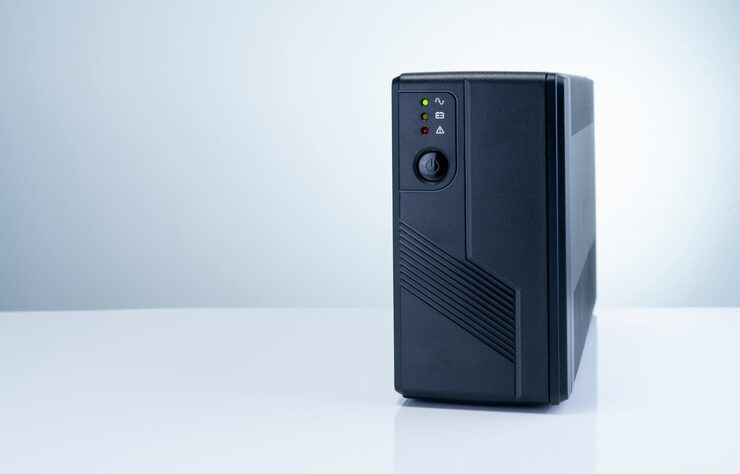
How UPS Power Backup Works
A UPS system operates by continuously monitoring incoming electrical power. When the power supply is stable, it conditions and passes electricity to connected devices. If a disruption occurs, the UPS instantly switches to its internal battery, ensuring uninterrupted power flow.
The core working process includes:
- Power input from the main grid
- Conversion and conditioning of electricity
- Battery storage for backup energy
- Automatic switching during outages
The transition from main power to battery is nearly instantaneous, typically within milliseconds, preventing devices from shutting down.
Importance of UPS Power Backup in Modern Systems
Reliable electricity is essential in today’s digital environment. UPS systems play a crucial role in maintaining operational continuity.
Key benefits include:
- Prevents data loss during sudden shutdowns
- Protects hardware from voltage spikes and surges
- Ensures continuous operation of critical systems
- Supports safe shutdown of devices during extended outages
- Maintains productivity in business environments
Industries such as healthcare, IT infrastructure, and financial systems depend heavily on UPS solutions to avoid operational disruptions.
Types of UPS Power Backup Systems
Different UPS systems are designed for varying levels of protection and applications.
Offline (Standby) UPS
- Basic protection for home and small office devices
- Switches to battery only during power failure
- Suitable for computers and personal electronics
Line-Interactive UPS
- Regulates voltage fluctuations without switching to battery
- Ideal for small business environments
- Offers better efficiency than offline systems
Online (Double Conversion) UPS
- Provides continuous power from the battery
- Offers highest level of protection
- Commonly used in data centers and critical infrastructure
Key Components of a UPS System
Understanding the internal components helps explain how UPS systems function effectively.
Battery
- Stores energy for backup power
- Common types include lead-acid and lithium-ion
- Converts stored DC power into usable AC power
Rectifier
- Converts incoming AC power into DC for battery charging
- Allows power to bypass UPS in case of system failure
- Monitors performance and manages switching operations
Comparison of UPS Types
| Feature | Offline UPS | Line-Interactive UPS | Online UPS |
|---|---|---|---|
| Power Protection Level | Basic | Moderate | High |
| Switching Time | 5–10 ms | 2–4 ms | 0 ms |
| Cost Efficiency | High | Medium | Lower efficiency |
| Best Use Case | Home devices | Small businesses | Data centers |
| Voltage Regulation | Limited | Yes | Advanced |
Real-World Applications of UPS Systems
UPS systems are used across various sectors to ensure uninterrupted operations.
Home Use
- Protects computers, routers, and smart devices
- Prevents data corruption during outages
- Maintains productivity during power cuts
- Protects IT equipment and servers
Healthcare Facilities
- Ensures continuous operation of medical devices
- Critical for patient safety systems
Data Centers
- Prevents downtime and data loss
- Supports continuous server operation
- Protects machinery and automation systems
- Reduces downtime in manufacturing processes
Common Problems Solved by UPS Power Backup
UPS systems address several power-related issues:
- Sudden power outages
- Voltage fluctuations
- Electrical surges and spikes
- Frequency variations
- Short-term interruptions
By stabilizing power supply, UPS systems enhance the reliability and lifespan of electronic equipment.
Recent Trends and Developments (2025–2026)
UPS technology continues to evolve with advancements in energy efficiency and smart monitoring.
- 2025: Increased adoption of lithium-ion batteries for longer lifespan and reduced maintenance
- 2025: Integration with IoT-based monitoring systems for real-time performance tracking
- 2026: Growth in modular UPS systems for scalable infrastructure
- 2026: Focus on energy-efficient UPS designs aligned with green energy goals
- 2026: Expansion of cloud-based UPS management platforms
These developments aim to improve efficiency, reduce environmental impact, and enhance system reliability.
Regulations and Safety Standards
UPS systems must comply with various safety and performance standards to ensure reliability and user safety.
- IEC 62040: International standard for UPS performance and safety
- ISO 9001: Quality management systems for manufacturing
- RoHS Compliance: Restriction of hazardous substances
- Energy efficiency guidelines in different countries
Adhering to these standards ensures safe operation and environmental compliance.
Useful Tools and Learning Resources
Several tools and platforms help users understand and manage UPS systems effectively.
Monitoring Tools
- Network-based UPS monitoring software
- Remote management dashboards
- Battery health tracking systems
Learning Platforms
- Online engineering courses on power systems
- Technical documentation from manufacturers
- Industry webinars and certification programs
Simulation Tools
- Load calculation tools
- Power backup planning software
- Electrical design simulation platforms
Key Features to Consider in UPS Systems
When evaluating UPS systems, several features determine performance and reliability.
Battery Runtime
- Determines how long devices can run during outages
- Indicates maximum power the UPS can handle
Efficiency Rating
- Higher efficiency reduces energy loss
- Ability to expand system capacity
- Supports remote monitoring and control
FAQs
What is the main function of a UPS system?
A UPS provides backup power during outages and protects devices from power disturbances such as surges and voltage drops.
How long can a UPS supply power?
Runtime depends on battery capacity and connected load. It typically ranges from a few minutes to several hours.
Is a UPS the same as an inverter?
No, a UPS provides instant backup with no delay, while an inverter has a slight switching delay.
Which type of UPS is best for data centers?
Online UPS systems are preferred because they provide continuous power without interruption.
How often should UPS batteries be replaced?
Battery lifespan varies, but most require replacement every 3–5 years depending on usage and type.
Conclusion
UPS power backup systems are essential for maintaining reliable electricity in both personal and professional environments. By preventing data loss, protecting equipment, and ensuring operational continuity, they play a critical role in modern infrastructure.
With advancements in battery technology, smart monitoring, and energy efficiency, UPS systems continue to evolve to meet growing power demands. Understanding their types, components, and applications helps users make informed decisions and ensures long-term reliability in power management.