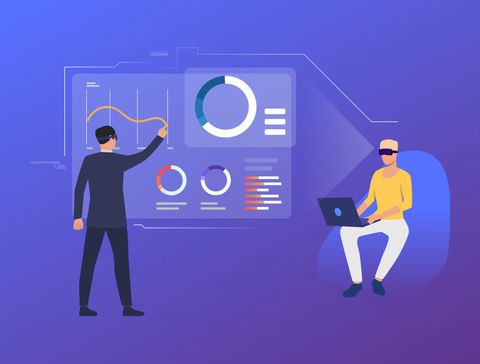
Instead of using separate tools for each function, ERP software connects everything into a unified system. This reduces duplication of work and improves the flow of information across departments. Teams can access real-time data, which makes coordination easier and faster.
The idea behind ERP software is simple. Businesses generate large amounts of data every day, and managing that data efficiently is essential for smooth operations. Without a centralized system, information can become scattered, leading to delays and errors.
ERP software exists to solve this challenge. It brings structure to complex workflows and helps organizations operate in a more organized and transparent way.
Why ERP Software Matters in Modern Workflows
Improving Efficiency Across Teams
One of the biggest advantages of ERP software is improved efficiency. When all departments work within the same system, tasks become more streamlined. For example, when a sales order is entered, the inventory and finance departments can automatically access the same information.
This reduces the need for manual updates and avoids communication gaps. Employees spend less time searching for information and more time focusing on their tasks.
Supporting Better Decision-Making
ERP systems provide real-time insights through dashboards and reports. Managers can quickly understand performance, identify issues, and make informed decisions.
This is especially important in fast-moving environments where delays in decision-making can affect outcomes. With accurate data available at all times, businesses can respond more effectively to changes.
Reducing Errors and Duplication
Manual data entry often leads to mistakes. ERP software minimizes this risk by automating processes and maintaining a single source of truth.
For example:
- Financial data is updated automatically across modules
- Inventory levels reflect real-time stock movements
- Employee records remain consistent across departments
This consistency helps maintain accuracy and reliability in operations.
Who Benefits the Most
ERP software is useful for a wide range of organizations. It is commonly used by:
- Small and medium-sized businesses looking to grow efficiently
- Large organizations managing complex operations
- Manufacturing units handling supply chains
- Service-based companies tracking projects and resources
Any organization that deals with multiple processes can benefit from a unified system.
Recent Developments and Emerging Trends
Shift Toward Cloud-Based Systems
Cloud-based ERP solutions have become more common. These systems allow users to access data from anywhere with an internet connection. This flexibility supports remote work and distributed teams.
Cloud platforms also reduce the need for on-site infrastructure, making systems easier to maintain and update.
Integration with Artificial Intelligence
ERP systems are increasingly incorporating artificial intelligence and automation. These features help analyze data, predict trends, and automate repetitive tasks.
For example:
- Predicting inventory demand
- Automating invoice processing
- Identifying unusual patterns in financial data
These capabilities improve both speed and accuracy in operations.
Focus on User Experience
Modern ERP systems are designed with user-friendly interfaces. This makes them easier to learn and use, even for non-technical users.
Simplified dashboards, mobile access, and customizable views allow employees to interact with the system more effectively.
Increased Emphasis on Data Security
As businesses rely more on digital systems, data protection has become a priority. ERP providers are enhancing security features such as encryption, access controls, and regular updates.
Organizations are also becoming more aware of the importance of safeguarding sensitive information.
Regulatory and Policy Considerations
Data Protection and Privacy
ERP systems often handle sensitive business and personal data. This makes compliance with data protection regulations essential.
Organizations must ensure that their ERP systems:
- Store data securely
- Limit access to authorized users
- Maintain proper records of data usage
In many regions, data privacy laws require businesses to protect customer and employee information. Failure to comply can result in penalties and reputational damage.
Financial Reporting Standards
ERP software plays a key role in financial management. Businesses must ensure that their systems align with applicable accounting standards and reporting requirements.
Accurate record-keeping and transparent reporting are essential for audits and regulatory compliance.
Industry-Specific Regulations
Certain industries have additional requirements. For example:
- Manufacturing may require compliance with quality standards
- Healthcare organizations must handle patient data carefully
- Logistics companies need proper tracking and documentation
ERP systems often include features that help meet these industry-specific needs.
Government Initiatives and Digital Adoption
Many governments encourage digital transformation to improve efficiency and transparency in business operations. ERP software supports this goal by helping organizations adopt structured and automated processes.
Digital record-keeping also makes it easier to comply with tax regulations and reporting systems.
Useful Tools and Resources for ERP Implementation
ERP Platforms
There are many ERP platforms available, each designed for different types of organizations. Some focus on manufacturing, while others are suited for service-based businesses.
When selecting a system, organizations typically consider:
- Scalability
- Ease of use
- Integration capabilities
- Customization options
Project Management Tools
Implementing ERP software requires careful planning. Project management tools help track progress, assign tasks, and manage timelines.
Examples of helpful features:
- Task tracking
- Collaboration tools
- Milestone monitoring
These tools ensure that implementation stays organized and on schedule.
Data Migration Tools
Moving data from existing systems to an ERP platform can be complex. Data migration tools help transfer information accurately and securely.
They assist in:
- Cleaning and validating data
- Mapping old data to new formats
- Reducing the risk of data loss
Training and Learning Resources
Training is essential for successful adoption. Employees need to understand how to use the system effectively.
Common resources include:
- Online tutorials and guides
- Interactive training sessions
- Documentation and user manuals
Continuous learning helps teams adapt to updates and new features.
Reporting and Analytics Tools
Many ERP systems include built-in analytics, but additional tools can enhance reporting capabilities. These tools help visualize data and generate insights.
They are useful for:
- Performance tracking
- Financial analysis
- Operational monitoring
Clear reports make it easier to communicate information across teams.
Common Questions About ERP Software
What is the main purpose of ERP software?
The main purpose of ERP software is to integrate different business processes into a single system. This helps improve efficiency, reduce errors, and provide better visibility into operations.
Is ERP software suitable for small businesses?
Yes, ERP software can be useful for small businesses. Many systems are designed to scale according to the size and needs of the organization. Even smaller teams can benefit from improved organization and data management.
How long does it take to implement an ERP system?
The time required depends on the complexity of the organization and the system being used. Implementation can range from a few weeks to several months. Proper planning and training can help reduce delays.
What challenges are common during ERP adoption?
Some common challenges include:
- Resistance to change from employees
- Data migration issues
- Training requirements
- Integration with existing systems
Addressing these challenges early can improve the chances of success.
Can ERP software be customized?
Yes, many ERP systems offer customization options. Businesses can adapt the software to match their processes and requirements. However, customization should be planned carefully to avoid complexity.
Final Thoughts on Improving Workflow with ERP Software
ERP software plays a key role in modern business operations. It brings together different processes into a unified system, making workflows more efficient and organized.
By improving data accuracy, enhancing communication, and supporting better decision-making, ERP systems help organizations manage their activities more effectively. They also provide the flexibility needed to adapt to changing business environments.
While adopting ERP software requires planning and effort, the long-term benefits can be significant. With the right approach, businesses can create smoother workflows and build a stronger foundation for future growth.